
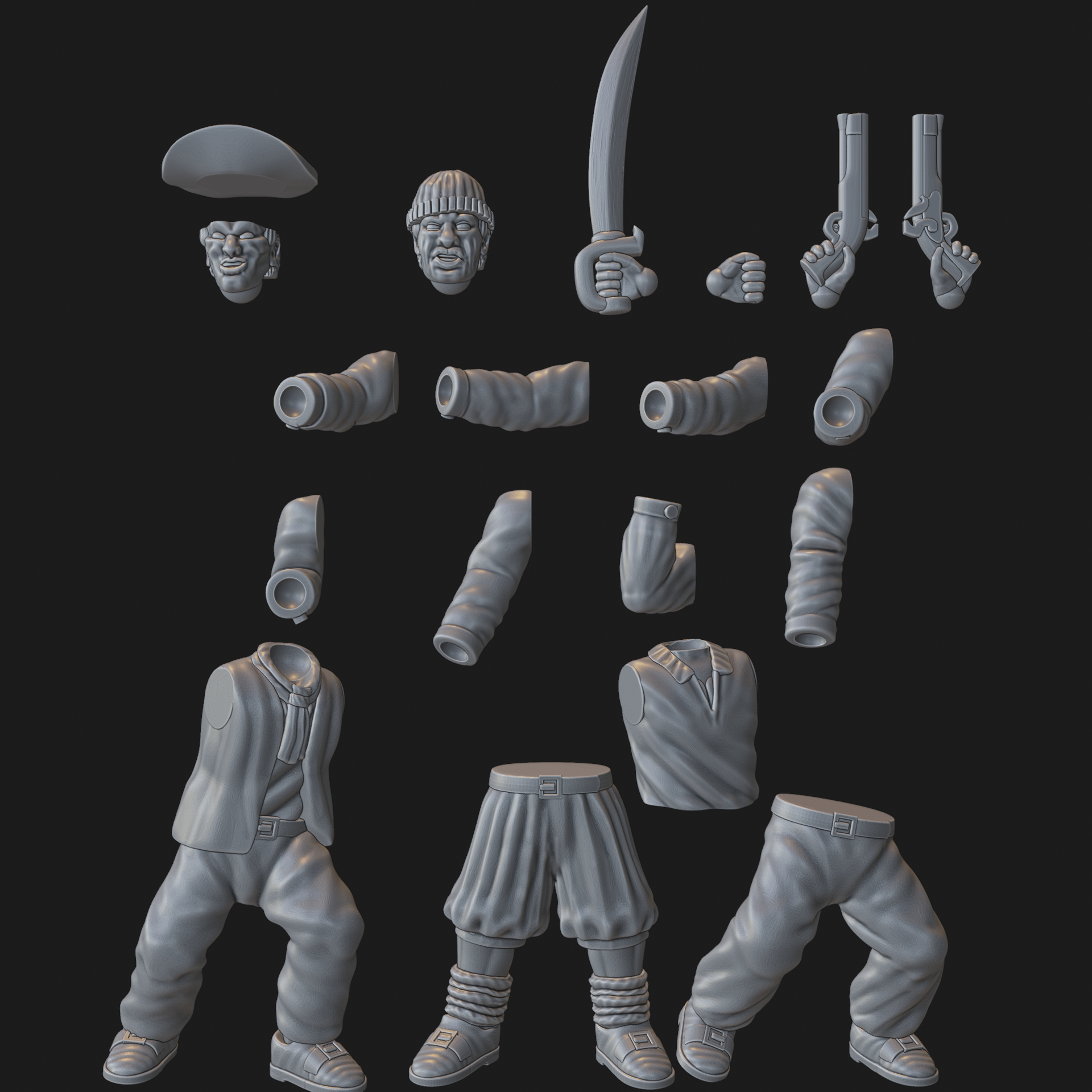
28mm Multi-Part Sailor Set S&s-7

i want 
i have 
Description

28mm multi-part sailors with hundreds of body, arm, hat and accessory options. These are intended to provide everything needed to assemble a crew with whatever weapons and equipment your scenarios demand.

In terms of clothing, there's a choice of loose shirts, slops, trousers, sailor's jackets and longer jackets (open or closed) with either shirts or bare torsos underneath, alongside two scarf options.

Weapons include cutlasses, pistols, flintlocks, matchlocks, boarding pikes, grapples, grenades and boarding axes!

Other items such as Ramrods and linstocks for your gun crews are also on offer.

Ships and other (specialised and monoposed) figures can be found in this collection.

--

Every included part has been test printed on an Elegoo Mars 3 using winter print settings (with boosted burn-in layers and exposure times). The parts were printed with Elegoo ABS-like Resin.

Here are my print settings.

If you have any issues printing these parts, please consult this troubleshooting guide:

  • Verify that the temperature in your printing environment is at least 23 degrees celsius.
  • Ensure your FEP is intact and undamaged. If you have a hole/significant visual damage (small pock marks are generally fine) and aren't confident you can change it correctly, consider buying a new resin vat with a pre-installed FEP.
  • If encountering strange printing errors, confirm that your printer’s screen is fully functional by using its test mode.
    Re-level your print bed; using the paper method, remember that there should be considerable resistance when trying to pull the paper out.
  • Make sure to use printing settings intended for your resin, either sourced from the manufacturer or by using Lychee Cloud profiles with high reported success rates.
  • Verify that you are not overcrowding your base plate (more models on the plate means more suction).
  • Especially if you have temperature issues, begin with very conservative burn-in times and a lot of transitional layers so that you can make sure your rafts adhere to your print bed. If using this method, I strongly recommend supporting all your models on rafts so as to maintain model quality.

    For my “Winter Settings” (I use longer burn-in times to generate more heat) on my Mars 3, I have:
    (Burn-in) Exposure Time: 45 seconds
    Transition Layers Count: 15
    (Normal) Exposure Time: 2.5 seconds (always check the advice for your specific resin/printer).

  • To give the FEP more time/space to “ping,” use a higher lift distance (I like 6-7mm) and slow down the lift speed (45mm/s on the initial burn-in layers, 160mm/s on the subsequent layers).
  • Consider using a light off delay calculator to further tweak your settings ().
  • If you’ve now reached a point where you’re producing successful prints, you can “dial back” your settings, but do so slowly and make a record of your changes before each print. If you have been conservatively under-utilising the build space, you can gradually add more models to the print too.

With regards to the linked print settings, please only use this for inspiration rather than something to directly copy. If you're not on an Elegoo Mars 3 and are using a different resin, you may of course have altogether different results if copying this profile directly. What I want to highlight here are my burn-in times and lift speed.

If you have an older printer, like a Mars 1, with a non-mono screen, then your exposure times may need to be higher (off the top of my head, the Mars 1 needed something like 5-7 seconds to cure a "normal" layer while a Mars 2+ will do it in 2.5 seconds [typically)


Similar sets


Other sets from this release